






Thaiware Shop
จำหน่าย จัดหา ซอฟต์แวร์ลิขสิทธิ์ สำหรับองค์กร ฯลฯ


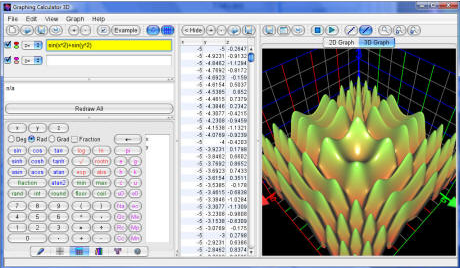
Graphing Calculator 3D Grapher (โปรแกรมสร้างกราฟคุณภาพสูง) : ให้คุณสามารถสร้างกราฟ 2D และ 3D จากพิกัดตาราง ทำให้คุณสามารถสร้างกราฟจากสมการง่ายๆ เช่น สมการพาราเมตริก ให้คุณใส่สีสัน แสง เงา แสดงลักษณะพิเศษแบบโปร่งใส่ได้ หรือหมุนกราฟได้อย่างง่ายดายเพียงแค่ลากเมาส์ หรือเมื่อคุณพล็อตสมการลงจุดก็สามารถสร้างเป็นกราฟได้เลยและยังสามารถแก้ไขได้ทันที ครับผม
Note : โปรแกรมนี้ ทางผู้พัฒนา โปรแกรม (Program Developer) เขาได้แจกให้ ทุกท่านได้นำไปใช้กันฟรี FREE ! นะครับผม โดยท่าน ไม่ต้องเสียค่าใช้จ่ายใดๆ ทั้งสิ้น ครับผม โดยท่านสามารถที่จะติดต่อกับทาง ผู้พัฒนาโปรแกรมนี้ได้ทาง E-Mail : support@runiter.com (ภาษาอังกฤษ) นะครับผม ...
English Descriptions : Graphing Calculator 3D.Advanced grapher that plots high quality graphs of 2D and 3D functions and coordinates tables. Graphing equations is as easy as typing them down. Both cartesian and polar coordinates are supported as well as parametric equations and inequalities. Graphs are beautifully rendered with gradual colors, shadows, lighting, reflection and transparency effects. Rotating the graphs is surprisingly fast and easy by simply dragging the mouse. The intuitive user-interface is designed with frequency of use in mind. Equations are instantly plotted as you type them down after each key stroke. Value table for x-y-z coordinates can be generated, modified and re-plotted instantly.





ความคิดเห็น (1)