










Thaiware Shop
จำหน่าย จัดหา ซอฟต์แวร์ลิขสิทธิ์ สำหรับองค์กร ฯลฯ




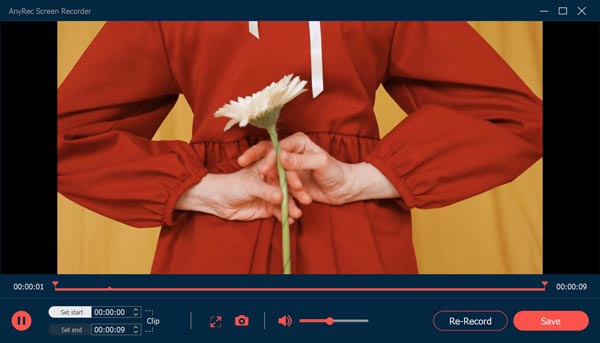
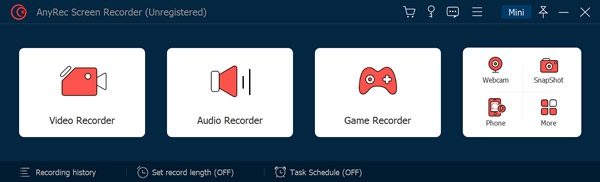
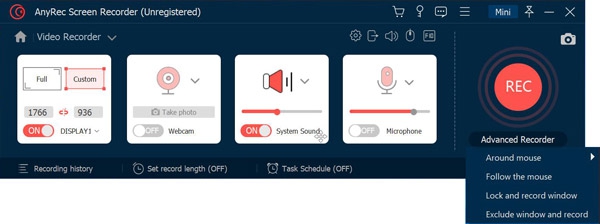
AnyRec Screen Recorder (โปรแกรมอัดหน้าจอ อัดวิดีโอหน้าจอระดับมืออาชีพ) : สำหรับโปรแกรมนี้มีชื่อว่า AnyRec เป็นโปรแกรมอัดวิดีโอ จับภาพหน้าจอ บนคอมพิวเตอร์คุณภาพสูง ได้ไฟล์ภาพเป็นแบบ MP4 สามารถใช้งานได้ทั้งการเก็บบันทึกวิดีโอการประชุมออนไลน์ เกม และ เว็บแคม ใช้งานง่าย และมีเครื่องมือที่ช่วยในการจับภาพ (Take Snapshots) พร้อมกับแก้ไขภาพได้เลย โดยโปรแกรมจะรองรับการใช้งานทั้งในระบบปฏิบัติ Windows และ Mac
ใครกำลังมองหาโปรแกรมอัดวิดีโอหน้าจอที่สามารถใช้งานได้ง่าย ไม่มีรายน้ำ ไม่จำกัดการใช้ และ ได้คุณภาพวิดีโอที่ลื่นไหล สามารถลองหยิบโปรแกรมนี้ไปใช้งานได้เลย
โปรแกรมที่คุณกำลังจะดาวน์โหลดนี้ มีคุณสมบัติเป็นแชร์แวร์ (Shareware) ซึ่งทางผู้พัฒนา โปรแกรม (Program Developer) เขาให้คุณ ได้สามารถ นำไปใช้กันก่อนแบบจำกัดฟีเจอร์ หากต้องการจะใช้ต่อกันในแบบตัวเต็ม ๆ ท่านสามารถติดต่อกับทางผู้พัฒนา ผ่านเว็บไซต์ (Website) : https://www.anyrec.io/screen-recorder/ (ภาษาอังกฤษ) ได้ทันทีเลย
This program is called 'AnyRec Screen Recorder'. It is a lightweight and powerful screen recorder for everyone. You can record online meetings, calls, webinars, gameplay, and more on your computer with high quality. No watermark. No time limit. No Lag.
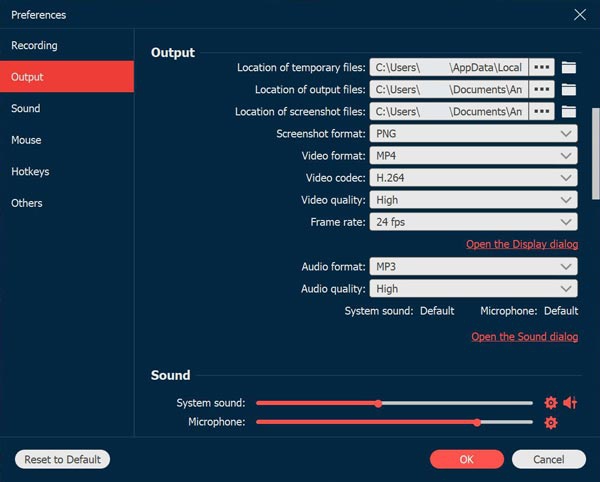
1.Record online videos and take screenshots AnyRec Screen Recorder is easy-to-use to record videos played on your computer with high quality. You could also record meetings, Skype calls on your computer. It supports various formats like MP4, MOV, WMV, AVI, F4V, TS. In addition, you could use it to take screenshots. The recorded videos and captured screenshots could be saved as interesting GIFs.
2. Record audio With AnyRec Screen Recorder, you are able to save the audio files you want to keep to other formats, such as MP3, M4A, AAC, WMA. Moreover, it allows you to record both system sound and Microphone sound, you could choose the one according to your need. You could also reduce audio noise while recording.
3. Record gameplay and webcam AnyRec Screen Recorder benefits game lovers a lot. It has the ability to record gameplay which you cannot download. It could also record the webcam. After recording, you could preview the recorded file and trim the recorded clips.
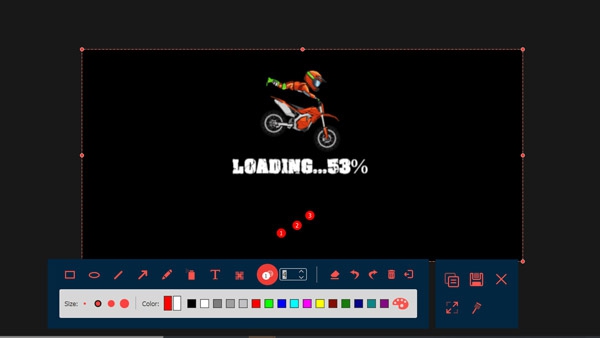
4. Mouse recording and task schedule function With the mouse recording function, you could show mouse cursor, record mouse clicks and record mouse area in custom colors. Furthermore, this tool could record any on-screen activity on your computer automatically, you just need to set the start/stop time, record length. It also lets users to add real-time drawings on recording video or screenshots.





ความคิดเห็น (0)